Stop click fraud fromdraining your ad budget
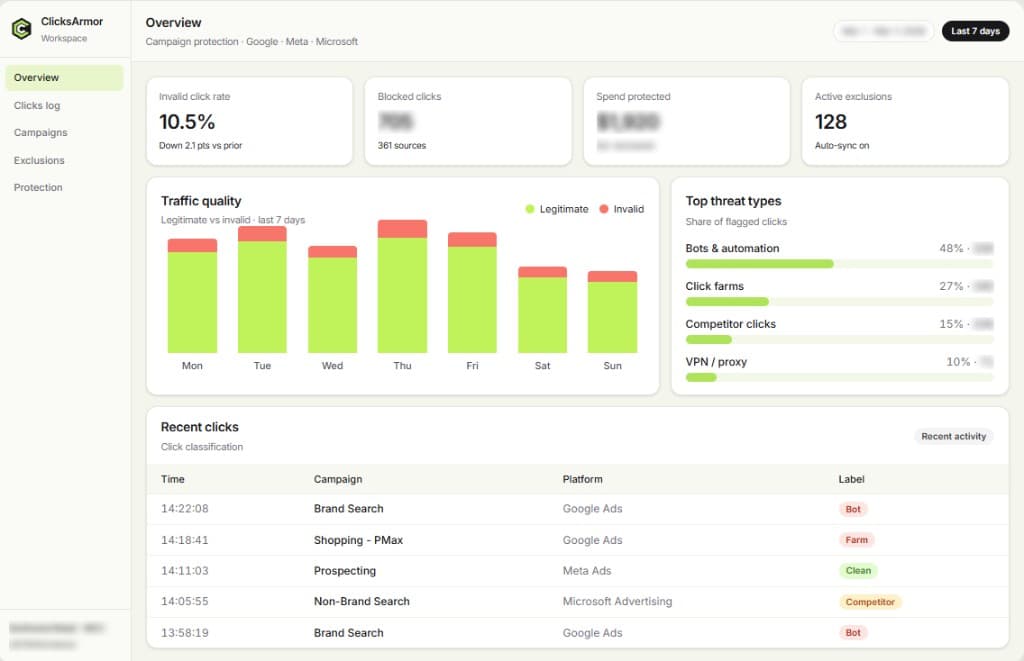
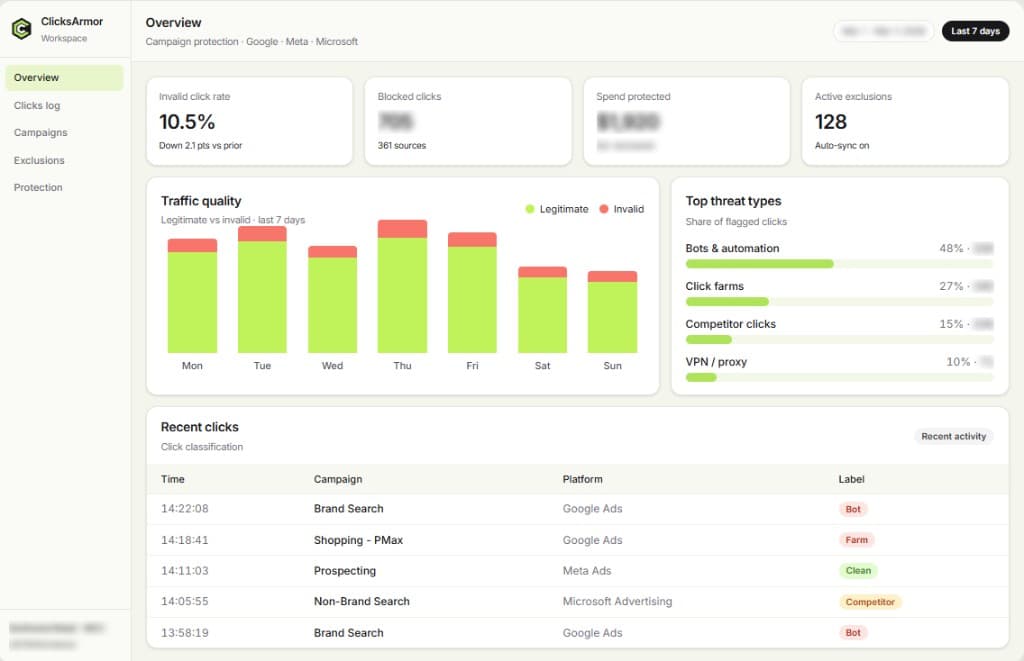
Detect bots, click farms, and suspicious clicks across Google Ads, Meta Ads, and Microsoft Advertising. Review why traffic looks risky, then exclude repeat sources before they waste more spend.
Built for the platforms
you already run
Protect paid campaigns across Google Ads, Meta Ads, and Microsoft Advertising from one workspace.
Google Ads
Search · Display · Shopping

Meta Ads
Facebook · Instagram

Microsoft Advertising
Bing · Partner Network
Invalid traffic patterns
More than bots
drain your budget
Click farms, competitor activity, proxy noise, and low-intent traffic inflate CPC and distort the signals your campaigns learn from.


Bots & automation
Automated scripts that click at scale—raising CPC without adding real demand.


Click farms
Organized human or device networks paid to click ads and burn budget.


Competitor clicks
Repeated clicks meant to exhaust your budget and weaken auction performance.


Suspicious click patterns
Unusual frequency, clustering, or post-click behavior that doesn’t match real visitors.


VPN & proxy traffic
Traffic that masks location or identity. Flagged as a risk pattern—not automatic proof of fraud.


Low-quality traffic
Clicks with little chance to convert that still consume spend and muddy reporting.
How it works
Detect. Diagnose.
Then block.
Connect your accounts, review suspicious traffic with clear reasons, then sync supported exclusions so more of your budget reaches real visitors.

Detect
Evaluate each paid click with behavior, device, network, and post-click signals—and attach a clear reason.

Diagnose
See which campaigns and sources look risky, what threat type applies, and where spend is exposed.

Block
Sync supported IP or audience exclusions to your connected platforms when you enable protection rules.
Platforms
Protection matched to each platform
Google Ads
Cover Search, Display, Shopping, and Performance Max on linked accounts. Detect suspicious clicks and sync supported IP exclusions where Google allows (typically campaign-level; Performance Max follows Google’s limits).
Meta Ads
Analyze Facebook and Instagram campaign traffic. Where eligible identifiers exist, sync custom audience exclusions—Meta does not use Google-style IP lists.
Microsoft Advertising
Monitor Bing and partner network traffic, then sync supported IP exclusions on connected Microsoft Advertising accounts.
Features
Campaign protection that stays in your control


Click detection
Flag bots, farms, and suspicious clicks with transparent reasons your team can review.


Traffic analytics
Break exposure down by campaign, source, location, and threat type before you change bids.


Automated blocking
Sync supported exclusions to Google, Meta, or Microsoft so repeat invalid sources stop seeing your ads.


Custom protection rules
Set click thresholds, geo controls, and VPN/proxy sensitivity to match how you buy media.


Performance Max protection
Monitor PMax for suspicious engagement and apply supported Google exclusions where available.


Multi-account management
Run protection across multiple domains and ad accounts with per-account rules and roll-up reporting.
Fraud-loss calculator
Estimate what invalid
traffic may cost you
Enter monthly spend, an estimated invalid-traffic rate, and a recoverable share. Results follow your assumptions—not amounts ClicksArmor guarantees.
Estimated impact
Pricing
Clear plans for the accounts you protect
Starter
For single-account advertisers starting campaign protection.
$79
/ month
- 1 website or ad account
- Google Ads protection
- Click detection with clear reasons
- Google Ads IP exclusions
- Click-level reporting
- Email support
Growth
For teams protecting Google, Meta, and Microsoft campaigns together.
$149
/ month
- Up to 5 websites or ad accounts
- Google, Meta & Microsoft Advertising
- PMax monitoring (exclusions where Google allows)
- Custom click thresholds
- VPN / proxy risk patterns
- Priority support
Scale
For agencies and high-spend advertisers. Custom limits and onboarding.
Custom
Contact sales
- Custom account limits with per-client controls
- Multi-brand / agency seats
- Advanced rule controls
- Dedicated onboarding support
- Custom reporting & exports
- Enterprise onboarding review on request
FAQ
Questions teams ask
before they start
Detection timing, Performance Max, Meta vs Google exclusions, and multi-account setup—answered directly.
View all FAQEach click is evaluated with behavior, device, network, and post-click signals. High-risk sources are flagged with clear reasons so you can review them and sync supported exclusions when ready.
Bots and automation, click farms, competitor clicks, suspicious repeat patterns, VPN or proxy masking, scrapers, and low-quality traffic. Unusual activity is a risk signal—not automatic proof of fraud.
False positives can happen on any detection product—especially shared, mobile, or VPN networks. You control thresholds, review flagged sources before or after exclusions sync, and can override or allowlist. Start with conservative rules and tighten after you review the first reports.
After exclusions start syncing, invalid-click volume can move within days. Conversion rate and ROAS changes are usually clearer over two to four weeks. Timing depends on spend and traffic mix—we do not promise a fixed lift.
Google Ads (including Performance Max monitoring), Meta Ads, and Microsoft Advertising, plus a site tag / GTM path for landing-page signals. Platform connections roll out in stages—confirm what is live for your workspace with sales or on Integrations.
Meta does not use the same IP exclusion workflow as Google. ClicksArmor analyzes suspicious Meta traffic and, where eligible identifiers exist, syncs custom audience exclusions instead.
Start protecting the campaigns you already run
Connect your ad accounts, review invalid traffic with clear reasons, and enable exclusions when you are ready.
Start free trialTrial available on request
- Clear plans on Pricing
Google, Meta & Microsoft