HOW IT WORKS
Detect. Diagnose. Then protect.
Connect your advertising platforms, review suspicious clicks with clear reasons, then sync supported exclusions when you are ready—so more budget reaches real visitors.
Workflow
Four steps from connect to protect
Same path across Google Ads, Meta Ads, and Microsoft Advertising. Exclusion methods match what each channel allows.
Step 1
Connect
Authorize Google Ads, Meta Ads, and/or Microsoft Advertising. Add the site tag or Google Tag Manager so landing-page signals can support detection.
- •Account authorization for supported platforms
- •GTM or direct site tag
- •Choose which accounts enter first
Step 2
Detect
As paid traffic reaches your website, ClicksArmor evaluates behavior, network context, repeat activity, and post-click engagement. Suspicious activity is labeled with a clear reason.
- •Evaluation on connected traffic
- •Threat-type labels
- •Site-tag signals when installed
Step 3
Diagnose
See which campaigns and threat types drive waste. Review reasons and rollups before you raise automation thresholds.
- •Campaign and threat breakdowns
- •Clear risk reasons
- •Exports for stakeholder reviews
Step 4
Protect
Enable protection rules to sync supported IP exclusions or Meta custom audience exclusions. Adjust thresholds anytime—protection stays under your control.
- •IP exclusions where platforms support them
- •Meta audience exclusions when identifiers allow
- •Editable rules you can override
In the product
Where the work happens
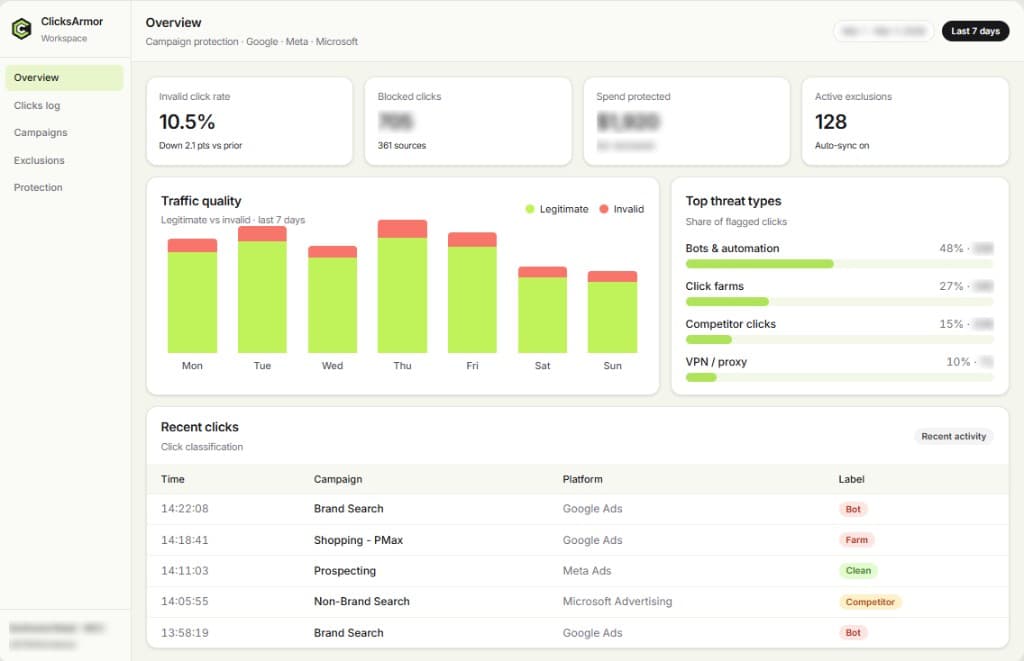
Overview, clicks, exclusions, and protection controls live in one workspace once your accounts are connected.
Security & data
How account data is handled
A short overview for buyers. Full details are on our Privacy Policy.
Account permissions
You grant access needed to read campaign click context and write supported exclusions. We do not ask for unrelated scopes.
What we store
Account metadata, detection logs, and configuration needed to run protection and support. Details are in our Privacy Policy.
Credentials
Connections use platform authorization. You can revoke access from the ad platform when offboarding.
Workflow FAQ
Common questions about setup
Do I need exclusions on day one?
No. Connect and review reasons first. Enable sync when thresholds match your risk tolerance.
Is Meta the same as Google IP sync?
No. Meta uses custom audience exclusions when eligible identifiers are available. Google and Microsoft use supported IP exclusions where allowed.
How long until I see labeled clicks?
After accounts and the site tag (or GTM) are connected, detection runs on new traffic. Timing depends on click volume.
Review protection on your own traffic
Connect your ad accounts, review invalid traffic with clear reasons, and enable exclusions when you are ready.
Start free trialTrial available on request
- Clear plans on Pricing
Google, Meta & Microsoft